Home >
Coreless dc motor >
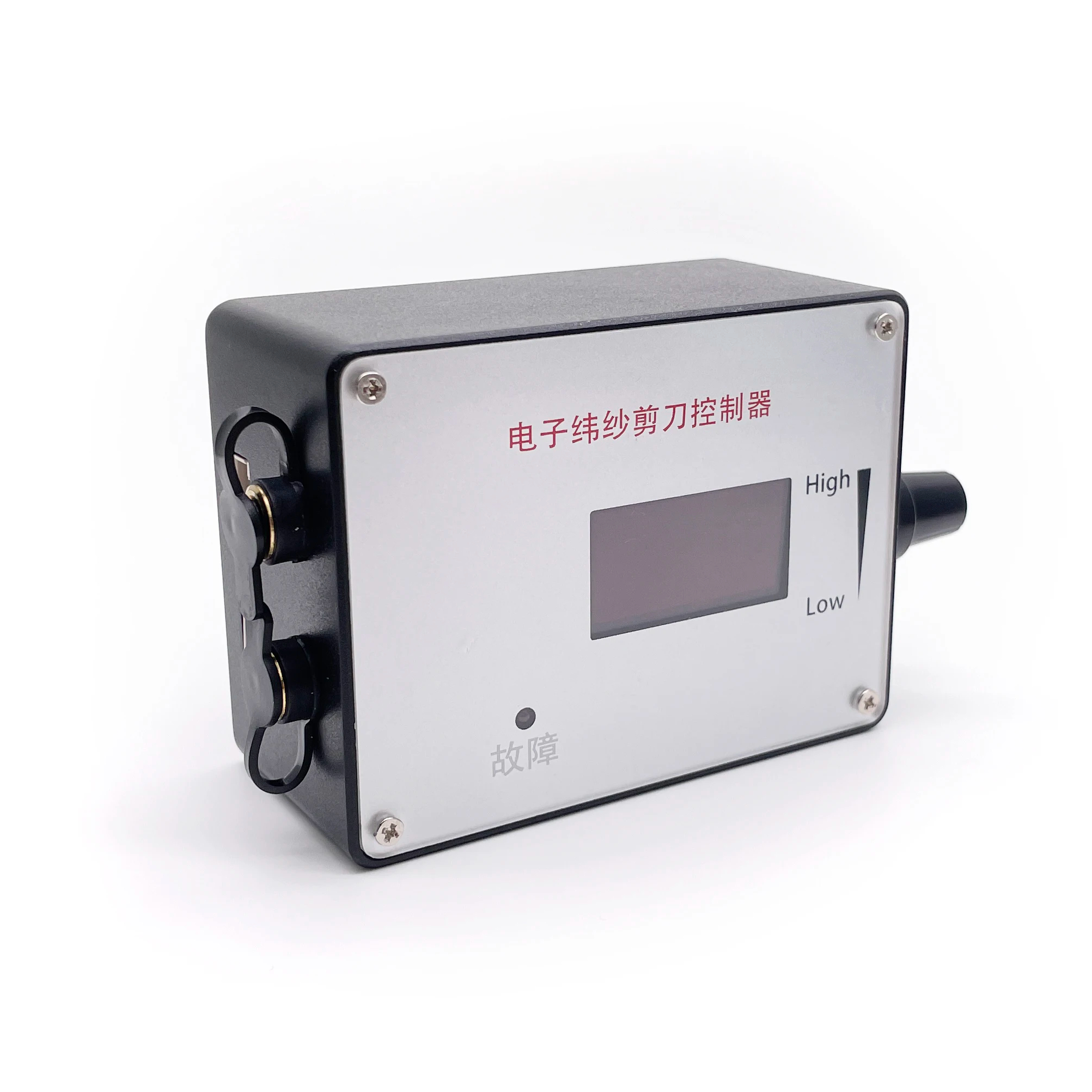
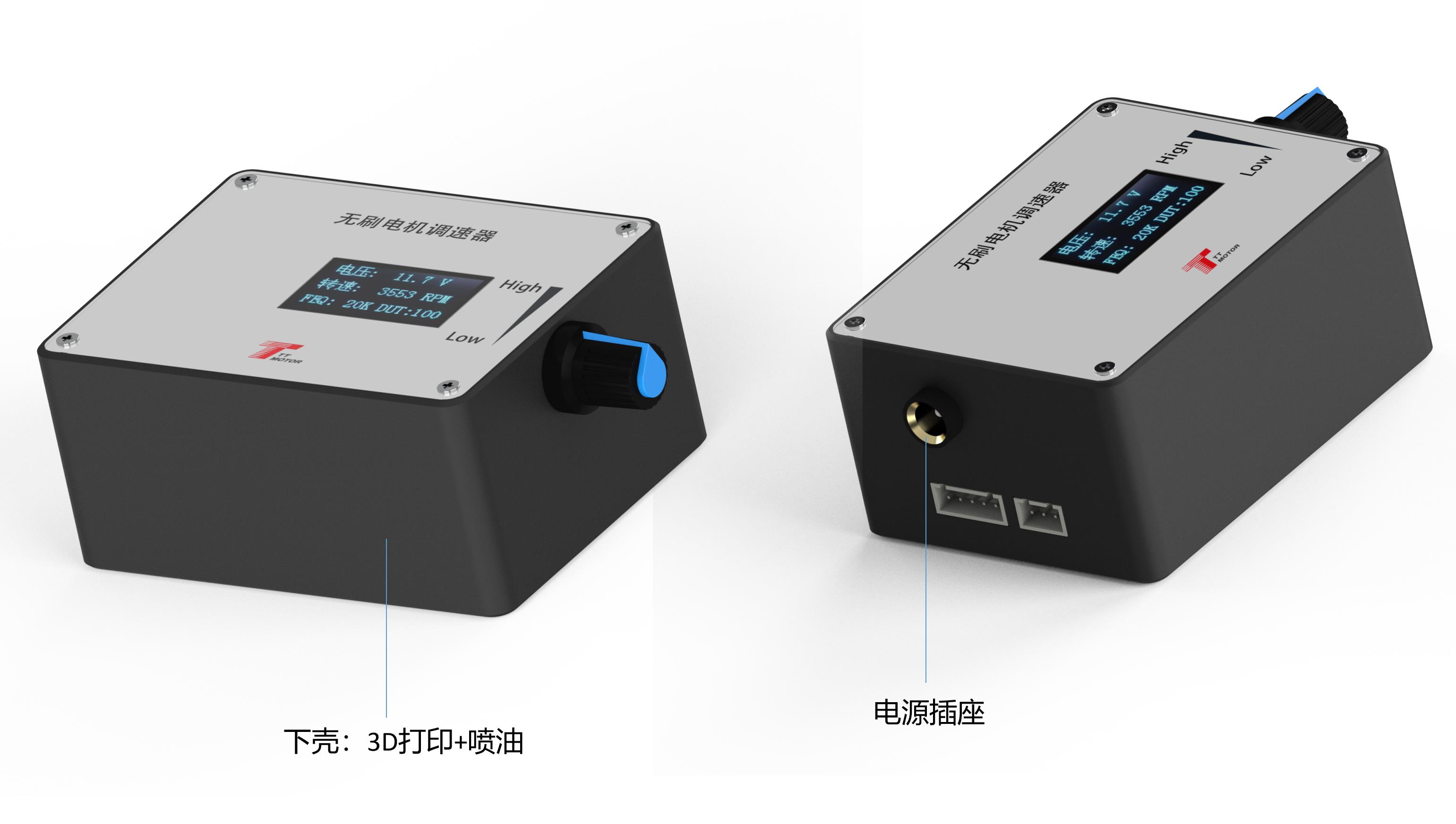
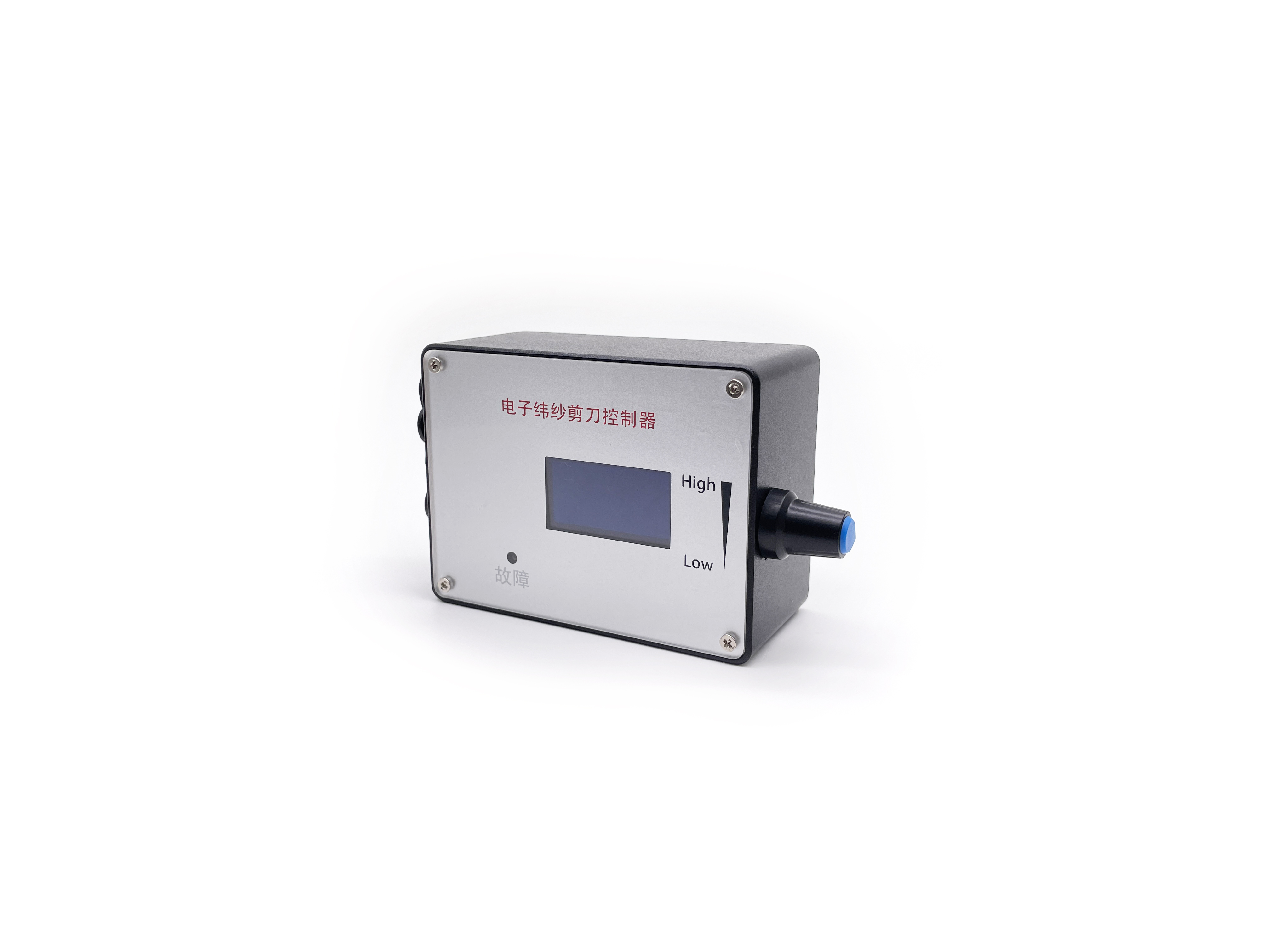
DC Motor Speed Controller DC 12V 24V DC Brushless Motor Speed Controller With Forward-Brake-Reverse Switch Ajustable Display
1 / 5
DC Motor Speed Controller DC 12V 24V DC Brushless Motor Speed Controller With Forward-Brake-Reverse Switch Ajustable Display
1. Electrical performance specifications of governor
Voltage range: DC5V-28V.
Rated current: MAX2A (To control the motor with greater current, the motor power line is directly connected to the power supply, not through the governor).
PWM output frequency: 0~100KHz.
Analog voltage output: 0-5V.
Working temperature: -10°C to 70°C | Storage temperature: -30°C to 125°C.
Driver board size: length 60mm X width 40mm.
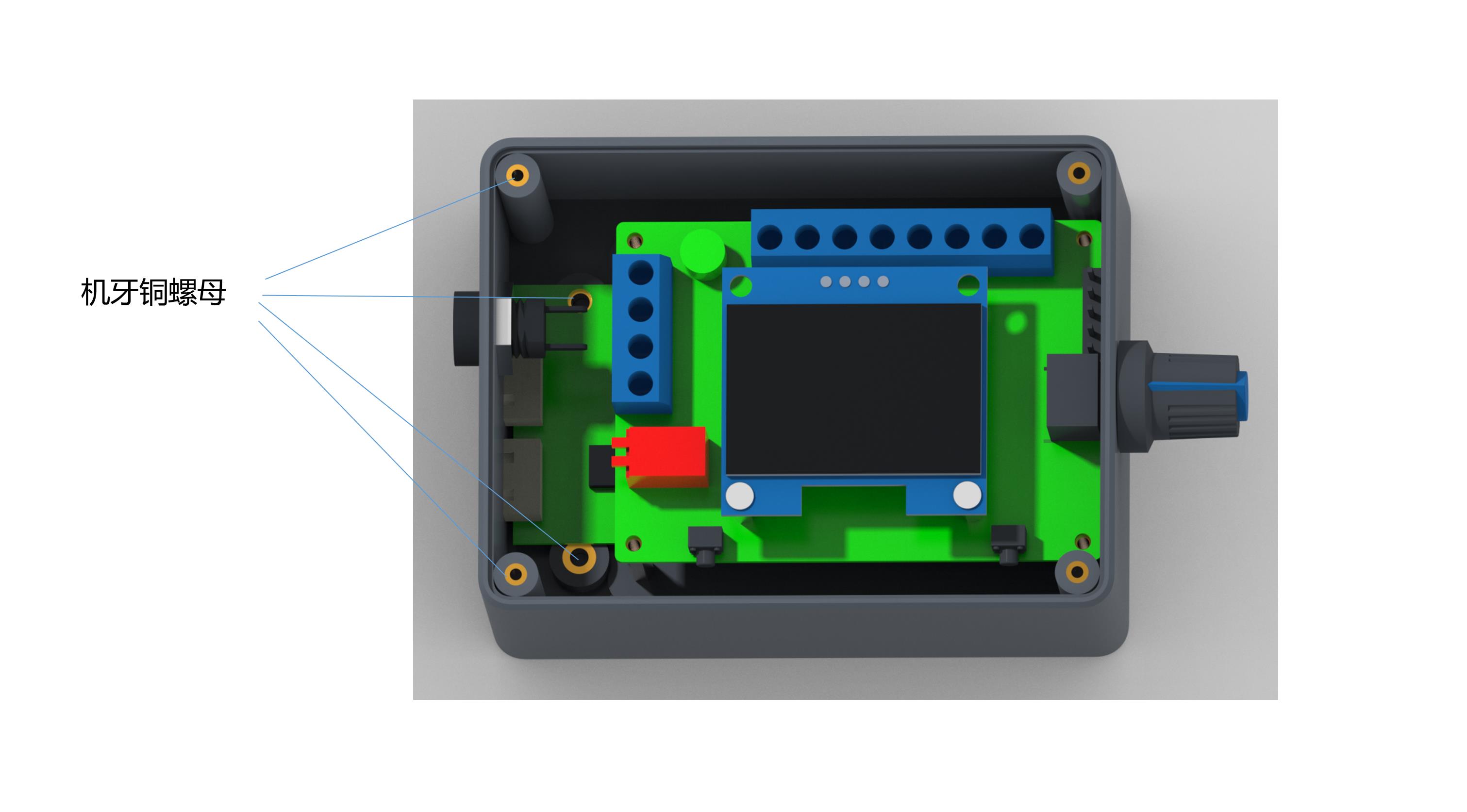
2. Governor wiring and internal function description
①
Governor, motor power supply positive input.
②
Governor, motor power input negative.
③
The positive output of the power supply of the motor.
④
Negative output of the power supply of the motor.
⑤
High and low level output of positive and negative rotation control, high level 5V, low level 0V, controlled by touch switch 2 (F/R), the default is high level.
⑥
High and low level output of brake control, high level 5V, low level 0V, controlled by touch switch 1 (BRA), power on the default high level.
⑦
Analog voltage output (0~5V), this interface is suitable for accepting analog voltage speed regulation motor.
⑧
PWM1 reverse output, this interface is suitable for the motor that accepts PWM speed regulation, and the speed is inversely proportional to the duty cycle.
⑨
PWM2 forward output, this interface is suitable for motors that accept PWM speed regulation, the speed is proportional to the duty cycle.
⑩
Motor feedback signal input.
Note:
The output signal changes of the three interfaces (⑤-⑨) are adjusted by the potentiometer.
FG/FG*3 should be based on the actual motor feedback times whether to add a jumper cap. No jumper cap is a single times FG, increased jumper cap is 3 times FG*3. The same goes for CW/CCW.
3. Governor parameter Settings
(1) Frequency setting: Press and hold the touch switch 1 before power-on and do not release. Then power the governor board, wait until the screen displays "FEQ:20K" to release the button. Touch switch 1 to reduce, touch switch 2 to add. Adjustable frequency to specified frequency; factory default is 20KHz.
(2) The number of poles set: Before power-on, at the same time hold down touch switch 1 and touch switch 2 and do not release. Then power the governor board, wait until the screen shows "number of poles: 1 polarity" to release the button. Touch switch 1 is reduced, touch switch 2 is added. The adjustable pole number is the pole number designed for the motor; factory default is 1 pole.
(3) Feedback setting: The FG/FG*3 pin is set as the feedback multiple. It is set according to whether the feedback multiplier of the motor is single times FG or three times FG. Adding the jumper cap is 3 times FG, and not adding the jumper cap is single times FG.
(4) Direction setting: The CW/CCW pin is the direction setting of the motor in its initial state. It is set according to whether the motor is CW or CCW when the motor direction control line is suspended. CCW with skip cap added, CW without skip cap.
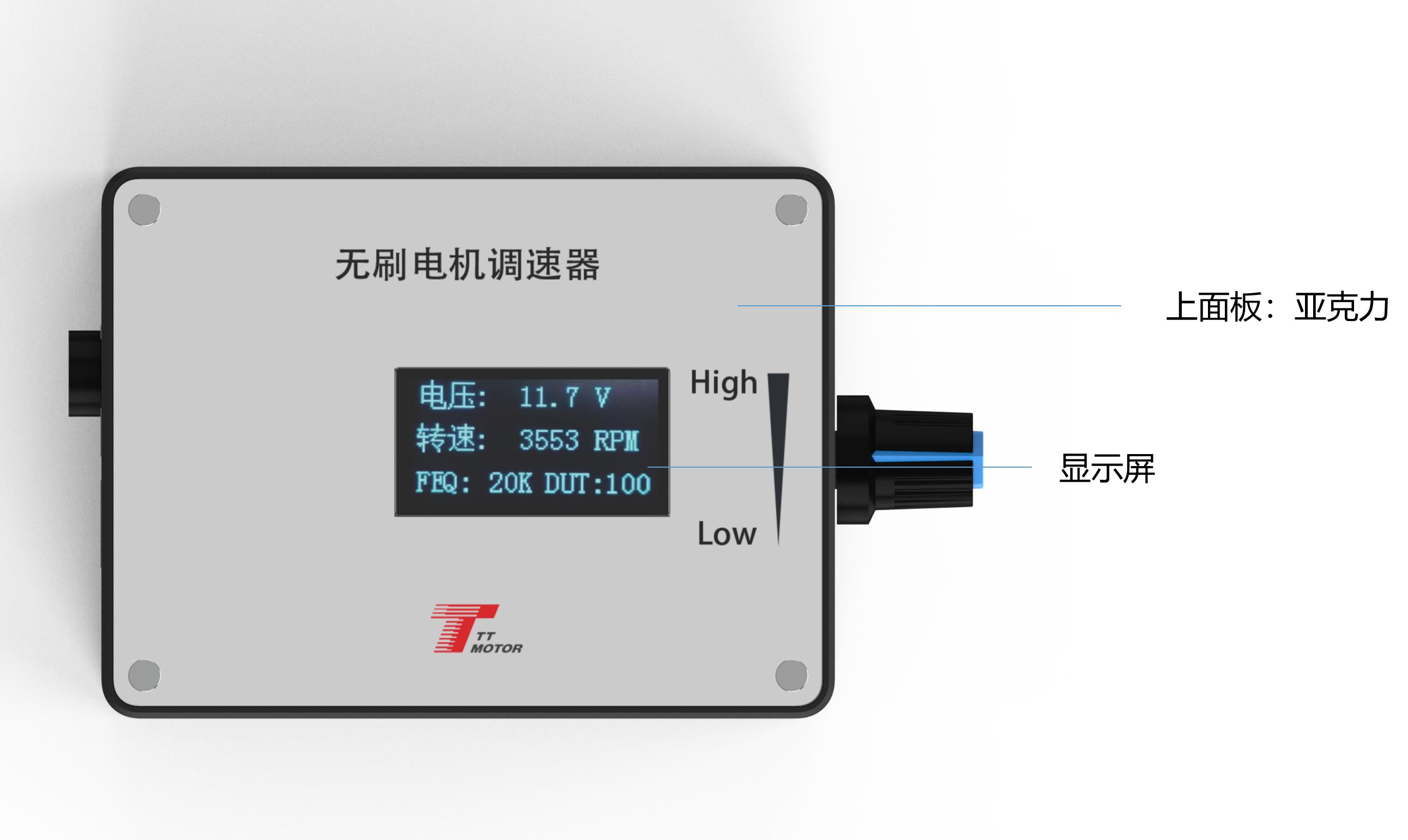
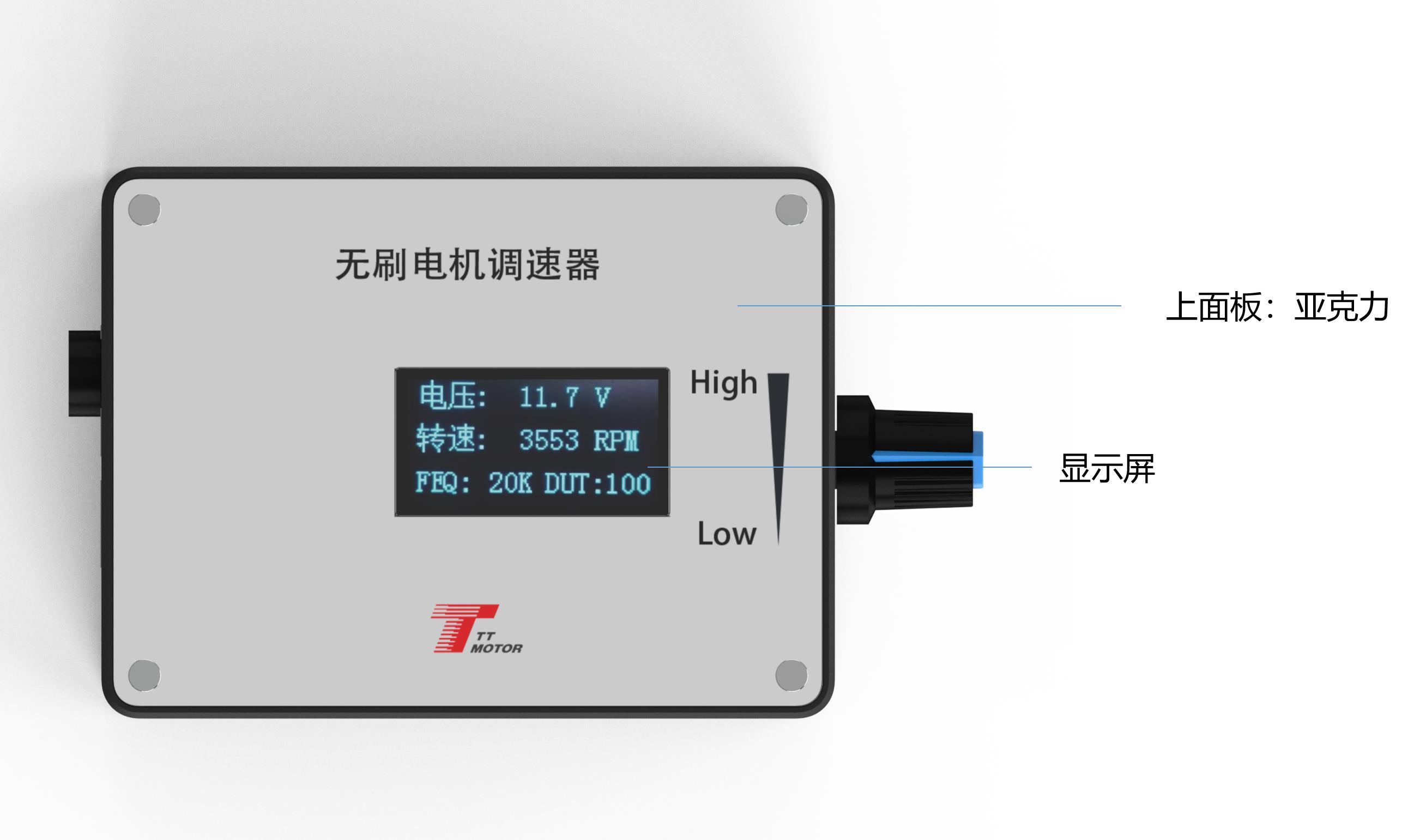
Main Interface Display: The current screen mainly displays four parameters: input voltage, speed, frequency, and duty cycle. The speed must be set correctly based on the FG/FG*3 and pole number to display normally.
4. Governor precautions
(1) The positive and negative power supply of the governor must be connected in accordance with the instructions, and must not be reversed; otherwise, the governor cannot work and will burn out.
(2) The governor is used to match the motor with the above control interface.
(3) Ports ⑤-⑨ (Five ports) cannot access more than 5V voltage.
Frequently Asked Questions (FAQ)
Q1: What is the input voltage range and rated current of the governor?
A1: The governor operates within a DC5V-28V voltage range with a maximum rated current of 2A. For motors requiring higher current, the motor power line must be connected directly to the power supply, bypassing the governor.
Q2: How do I adjust the PWM frequency settings on the driver board?
A2: Before power-on, press and hold touch switch 1. Turn on the power and wait until the screen displays "FEQ:20K" to release the switch. You can then touch switch 1 to decrease or switch 2 to increase the frequency. The factory default is 20KHz.
Q3: What is the procedure for setting the motor pole number?
A3: Press and hold both touch switch 1 and touch switch 2 simultaneously before powering on. Connect the power, and release the buttons when the screen shows "number of poles: 1 polarity". Adjust using switch 1 to reduce or switch 2 to add. The factory default is 1 pole.
Q4: How do I set the feedback multiplier (FG/FG*3)?
A4: The feedback multiple is configured via the FG/FG*3 pin. Adding a jumper cap configures the board for 3 times FG (FG*3), while leaving the jumper cap off sets it for single times FG.
Q5: What are the key precautions to prevent damaging the governor?
A5: First, ensure the positive and negative power inputs are not reversed, as this will burn the board. Second, ensure that control ports ⑤ through ⑨ do not receive a voltage exceeding 5V.
Q6: How is the initial direction of the motor configured?
A6: Initial motor direction is set using the CW/CCW pin. Add a skip cap to configure CCW direction, or leave it without a skip cap to default to CW direction when the control line is suspended.
 OmniDrive Motor